
Extension for Chrome, Edge and Cốc Cốc
Learn English right on YouTube with dual subtitles
Click any word to translate it, practice dictation sentence by sentence and save words to your notebook — synced with your VocaMax account on the web and in the app.
Using Edge? Edge Add-ons · Cốc Cốc, Brave, Opera: install from the Chrome Web Store
You have the VocaMax extension
Open a YouTube video with subtitles to start learning.
Phone browsers can't run extensions. Open this page on a computer, or learn on your phone with the VocaMax app.
What the extension does
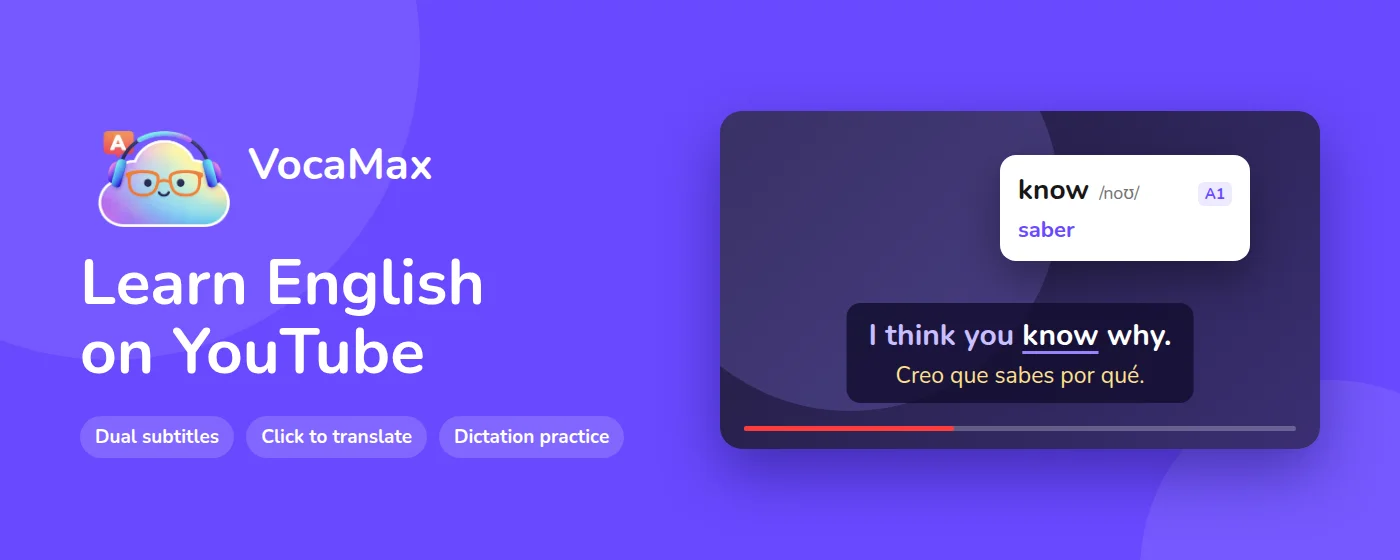
Turn the YouTube videos you already watch into lessons, without leaving the page.
Dual subtitles
The original line and its translation play along with the video, and each word lights up karaoke-style.
Click to translate
Pronunciation, dictionary meanings and the meaning in this exact sentence, saved to your notebook in one click.
Listening and speaking
Dictation, fill in the blanks, quizzes and shadowing, right below the video you are watching.
Synced to your account
Saved words go to your VocaMax notebook, ready for spaced repetition on the web and in the app.
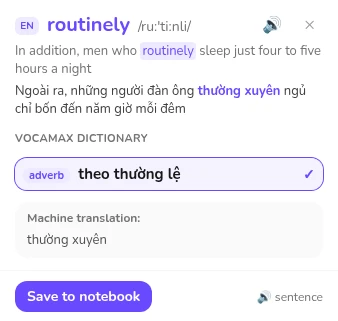
Look up words right on the subtitles
- Pronunciation and dictionary meanings
- The meaning in this exact sentence, plus a translation of the whole line
- Save it with the original sentence in one click
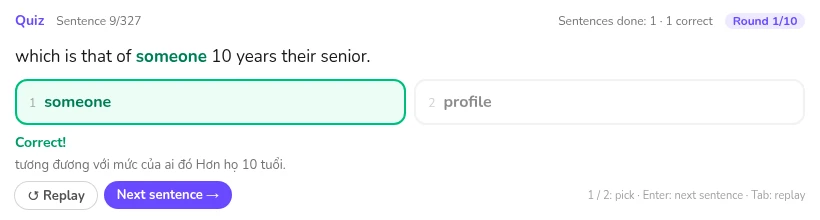
Practice with the sentence on screen
- Dictation, fill in the blanks and quizzes right below the video
- Shadowing, scored on words, pace and volume
- Keyboard shortcuts to replay, loop a sentence and change speed
Install in 30 seconds
-
Click Add to Chrome at the top of this page, then Add on the extension store page.
-
Open a YouTube video with subtitles: subtitles appear right beside the video.
-
Click the VocaMax icon → Sign in for free to get subtitle translations and sync your notebook.
Supported browsers
- Google Chrome
- Chrome Web Store
- Microsoft Edge
- Edge Add-ons
- Cốc Cốc
- Chrome Web Store
- Firefox, Safari, phones
- Not supported yet — use the VocaMax app
Frequently asked questions

Is the extension free?
Yes. Without signing in you can look up words and practice a few times a day; sign in for free to translate subtitles, sync your notebook and practice without limits. The Pro plan removes the daily limits on subtitle translation and shadowing.
How do I install it on Cốc Cốc?
Cốc Cốc runs Chrome extensions: open the VocaMax page on the Chrome Web Store in Cốc Cốc and click Add.
Does it work on phones?
Phone browsers can't run extensions. Get the VocaMax app on Google Play or the App Store instead.

Start learning with the video you are watching
Free to install. Look up words and practice right away.
Chrome and Chrome Web Store are trademarks of Google LLC. Microsoft Edge is a trademark of Microsoft Corporation.